DHgate Shoe QC Image Workflow
DHgate Shoe QC Image Workflow
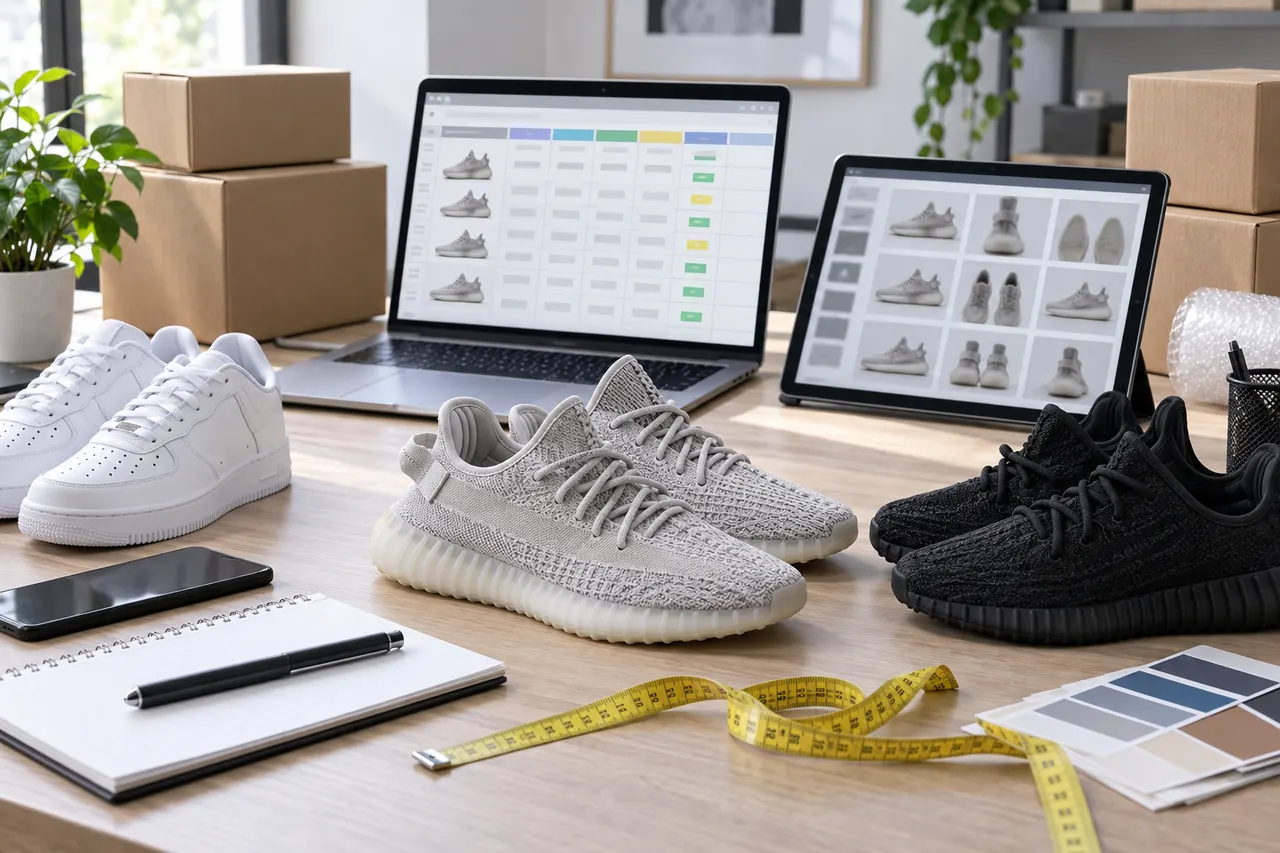
Caption: A visual guide for reviewing sneaker QC images, suitable for putting website-based spreadsheets, Google Sheets, and candidate product records into the same review path.
First clarify what sneaker issues you need to confirm with QC images
Looking at sneaker QC images is not to prove a pair of shoes is "perfect," but to eliminate obvious links that are not suitable for further follow-up before placing an order. Especially when using website-based spreadsheets like dhgate-spreadsheet.net to find candidate products, users typically first see organized product entries, categories, or image clues before deciding whether to jump to view details, seller information, or further save to their own spreadsheet.
This article only addresses one task: putting the product images, visible QC images, note evidence, and personal judgment for the same pair of sneakers into a reviewable process to help you decide whether to ask follow-up questions, request more images, keep the candidate, or delete the link. It does not apply to scenarios that require authentication, material guarantees, inventory predictions, or size consistency guarantees; these must be re-verified through seller pages, physical photos, platform policies, and pre-payment confirmations.
The verification date of this article is 2026-09-09. Since prices, inventory, product page status, shipping routes, image displays, and seller responses may change, this article does not write any individual product link as currently valid recommendation, nor does it claim that a certain DHgate seller, a certain pair of shoes, or a certain image has been actually purchased and tested.
How dhgate website-based spreadsheets centrally view product images and QC images
The value of dhgate-spreadsheet.net lies in organizing scattered products in the form of web pages, suitable for initial candidate screening. When viewing sneakers, it is recommended to first do the first round of filtering by category, shoe type, color, and obvious image quality, rather than being immediately attracted by low prices or cover images.
The practical sequence can be as follows:
Open the target sneaker page or list page, first check whether the title, category, and cover image correspond to the same type of product.
Record the specific issues you need to verify, such as toe shape, sole thickness, heel height, tongue logo, upper stitching, or left-right foot symmetry.
If the page provides multiple images, first distinguish between product display images, seller instruction images, and actual photos that may be close to QC perspectives.
Before jumping to the original product page, save the candidate information visible within the website to avoid inability to trace after the link becomes invalid.
Do not use a single cover image as the final basis for judgment; at least several key angles among front, side, heel, sole, or size label are needed to support the judgment. 📌
Website-based spreadsheets are more suitable for "centralized candidate discovery" and not suitable for completing final confirmation alone. The reason is simple: aggregated pages may not display real-time inventory, complete variants, latest seller instructions, shipping restrictions, and after-sales terms. Before actually placing an order, you still need to return to the original product page to verify purchasable status, specification options, shipping costs, estimated arrival time, and after-sales conditions.
Use cells, notes, and external links in Google Sheets to view the same evidence
If you also use Google Sheets, it is recommended to treat it as a personal QC record sheet, not another product list. The website is responsible for discovering candidates, and the spreadsheet is responsible for leaving the judgment process.
A usable spreadsheet structure can include these columns: product name, source page, original product link, size, color, main doubts, image evidence, questions to ask, current decision, last verification date. Do not rely only on mental impressions of images; it is best to keep accessible external links or screenshot file names, and write in the notes what it proves.
Record item | Suggested wording | Not recommended wording |
|---|---|---|
Main doubt | Toe is round, need front close-up | Looks weird |
Image evidence | Side view shows sole lines; missing heel view | Image is okay |
Current decision | Wait for seller to supplement heel and sole images before judging | Should be able to buy |
Verification date | 2026-09-09 | Recently viewed |
Google Sheets' advantage is that it can be sorted, filtered, and appended with notes. For example, you can filter out all candidates missing heel images, or color-code links that need seller-supplemented images. The point of this is not to make the spreadsheet complicated, but to ensure that every retention or deletion has a reason to review. ✅
Comparison path for shoe shape, toe, heel, and left-right foot consistency
The most error-prone part of sneaker QC comparison is directly comparing images taken from different angles, lighting, and lens distances. A more reliable approach is to check item by item by part, rather than judging by overall feeling.
First look at the shoe shape outline. Put the side view and product display image together to confirm whether the sole curvature, upper height, collar proportion, and toe upturn are generally consistent. If there are only oblique angle images and no standard side view, you can only do initial screening, not draw conclusions.
Then look at the toe. The toe usually requires a front or top-down angle, focusing on left-right curvature, width, upper stitching, perforation positions, and symmetry. A close-up of a single shoe can show workmanship, but cannot determine whether the left and right feet are consistent.
The heel needs to be viewed from a vertical angle. Heel images are suitable for confirming collar height, heel line, logo position, and left-right tilt. If the image is taken from top down, whether the heel is tilted may be exaggerated or masked by the camera angle.
Left-right foot consistency is best judged with a side-by-side image of both feet in the same photo. Note that lace tightness, lining support, shooting surface, and placement angle can affect visual effect. As long as key issues cannot be confirmed by existing images, do not write "looks about the same" as pass.
Use a table to record the differences between website viewing and spreadsheet viewing
The roles of website-based spreadsheets and Google Sheets are different. The former is more like a candidate entry point, and the latter is more like a personal decision archive. Writing down the differences between the two can avoid repeated image viewing and reduce misjudgments caused by too many links.
Viewing location | Suitable tasks | Boundaries to be aware of |
|---|---|---|
dhgate-spreadsheet.net page | Quickly browse candidates, do initial screening by image and category | Aggregated information may not be real-time transaction conditions |
Original product page | Verify specifications, inventory, seller instructions, shipping costs, and after-sales entry points | Page status, prices, and variants may change |
Google Sheets | Save evidence, note doubts, filter pending image supplement items | Spreadsheet content needs regular review and cannot replace the original page |
A simple judgment is: if the question is "Should I continue looking at this link," use the website page first; if the question is "Why did I keep or delete it," use Google Sheets; if the question is "Can I buy it now, how to buy, what are the return and exchange conditions," you must return to the original product page and platform rules.
Identify boundaries of missing images, insufficient angles, and unclear specifications
The boundaries of QC images must be written clearly. Missing images are not a minor issue because they directly affect your ability to judge shoe shape, color, workmanship, and specifications. Especially for sneakers, the same link may have multiple colors, sizes, or versions. If the images do not clearly correspond to the specification you want to buy, they cannot be used as final evidence.
Common boundaries include:
Only cover image, no actual detail photos.
Only a single shoe, no side-by-side left and right foot image.
Only side view, no toe, heel, or sole angle.
Images are excessively compressed, stitching, glue edges, and material texture are unclear.
Product images and selectable colors are inconsistent, unable to confirm the variant you selected.
Size chart, shoe box label, or internal label information is missing, unable to assist in confirming specifications.
These situations do not mean the product is definitely problematic, but they mean the current evidence is insufficient. A more accurate way to record is "missing heel image, not judging heel consistency for now," not "poor quality." This avoids miswriting insufficient images as product defects and also avoids letting issues without evidence slip through. 🔍
Decide to ask follow-up questions, request more images, add to candidates, or delete the link
After viewing the images, the next step must be to take action. Otherwise, the QC process becomes repeatedly browsing images without decisions.
You can handle it in four categories:
Ask follow-up questions: When product page information is incomplete, such as unclear size, color, material description, or shipping conditions, confirm with the seller.
Request more images: When existing images lack key angles, such as heel, sole, side-by-side feet, size label, or detail close-up, request supplements.
Add to candidates: When main angles are sufficient, doubts are acceptable, and specifications and page information can continue to be verified, keep in the spreadsheet.
Delete the link: When images are severely insufficient, product page is inaccessible, specifications do not match, risk exceeds acceptable range, or questions that need confirmation cannot be answered, remove from the candidate pool.
Do not require the seller or any third party to publicly disclose order numbers, complete addresses, payment information, identification documents, or complete waybills. When involving screenshots, personal information should be covered while retaining product status, logistics nodes, or specification information that does not affect judgment. 🛡️
Save final QC records and return to pre-order review
The final QC record should answer four questions: what images you viewed, what points you confirmed, what points still cannot be confirmed, and what the next step is. The more specific the record, the less likely you are to get confused later due to many links, similar images, or long time intervals.
It is recommended to use fixed statuses in the final decision column of Google Sheets, such as "pending image supplement," "pending questions," "candidate," "deleted," "pre-order review." Each time you change the status, write the last verification date simultaneously. For sneakers kept as candidates, before entering payment, you must recheck whether the original product page is still accessible, whether the selected specification is consistent, whether shipping costs and estimated time have changed, and whether return/exchange or after-sales conditions are acceptable.
What this process really saves is not a fixed amount of money, but the cost of wrong orders caused by insufficient images, specification misreading, and link confusion. The added risk is that you need to spend more time maintaining the spreadsheet, and old records in the spreadsheet may expire. It is suitable for people who compare multiple sneaker links at the same time, value image evidence, and are willing to review before ordering; it is not suitable for people who only want to pay quickly, cannot accept waiting for image supplements, or need authentication guarantees outside the platform.
The conclusion is direct: dhgate-spreadsheet.net is suitable for centralized candidate discovery, Google Sheets is suitable for leaving QC judgments, and the final purchase judgment must return to the currently accessible product page and actual visible information. By using the three separately, sneaker QC images will not stay at "looks similar or not," but can become a reviewable, executable pre-order process. 👟
agent platform shopping FAQ
1. What is the reason for abandoning Google Sheets and switching to dhgate-spreadsheet.net?
Google Sheets is only suitable for tables containing a small number of product entries. Once the number of products increases, the loading process becomes quite slow, and operations noticeably lag. This is especially prominent on mobile devices, where the display is poor and finding products is very inconvenient. For the same batch of products, the spreadsheet on dhgate-spreadsheet.net loads faster and has a better visual presentation.
2. What kinds of products can be found in the spreadsheet on dhgate-spreadsheet.net?
The spreadsheet on dhgate-spreadsheet.net covers shoes, clothes, bags, accessories, sweatshirts, perfumes, hats, scarves, belts, and various household daily necessities.
Browse our latest products and find your next favorite item.